Invoice price tracking

Invoices are chaotic. Analysis shouldn't be.

Stop wasting hours squinting at messy, handwritten paper slips. CostBeacon turns chaotic bills into clean, actionable insights on your dashboard.

30-day free trial · No credit card required

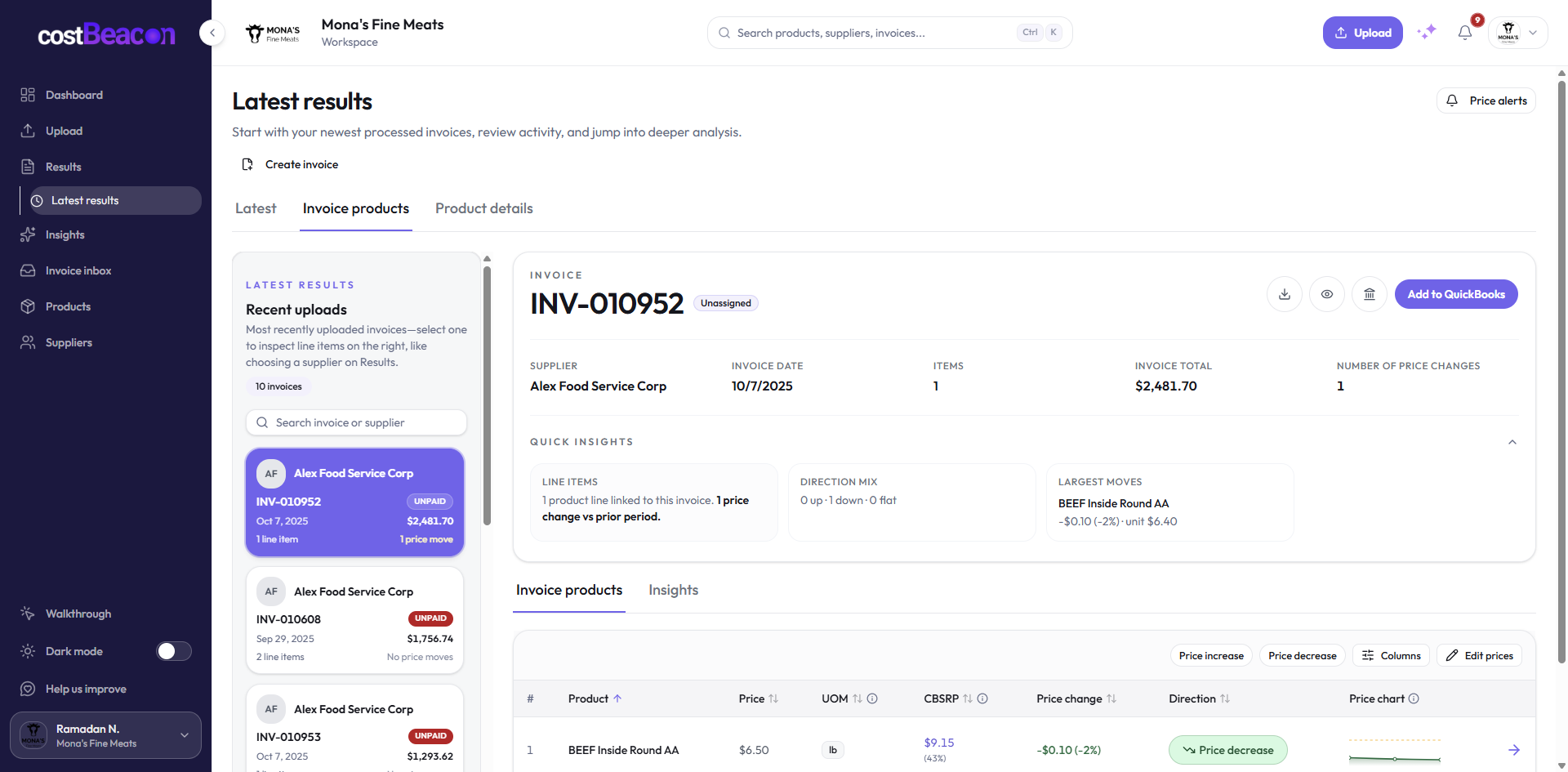
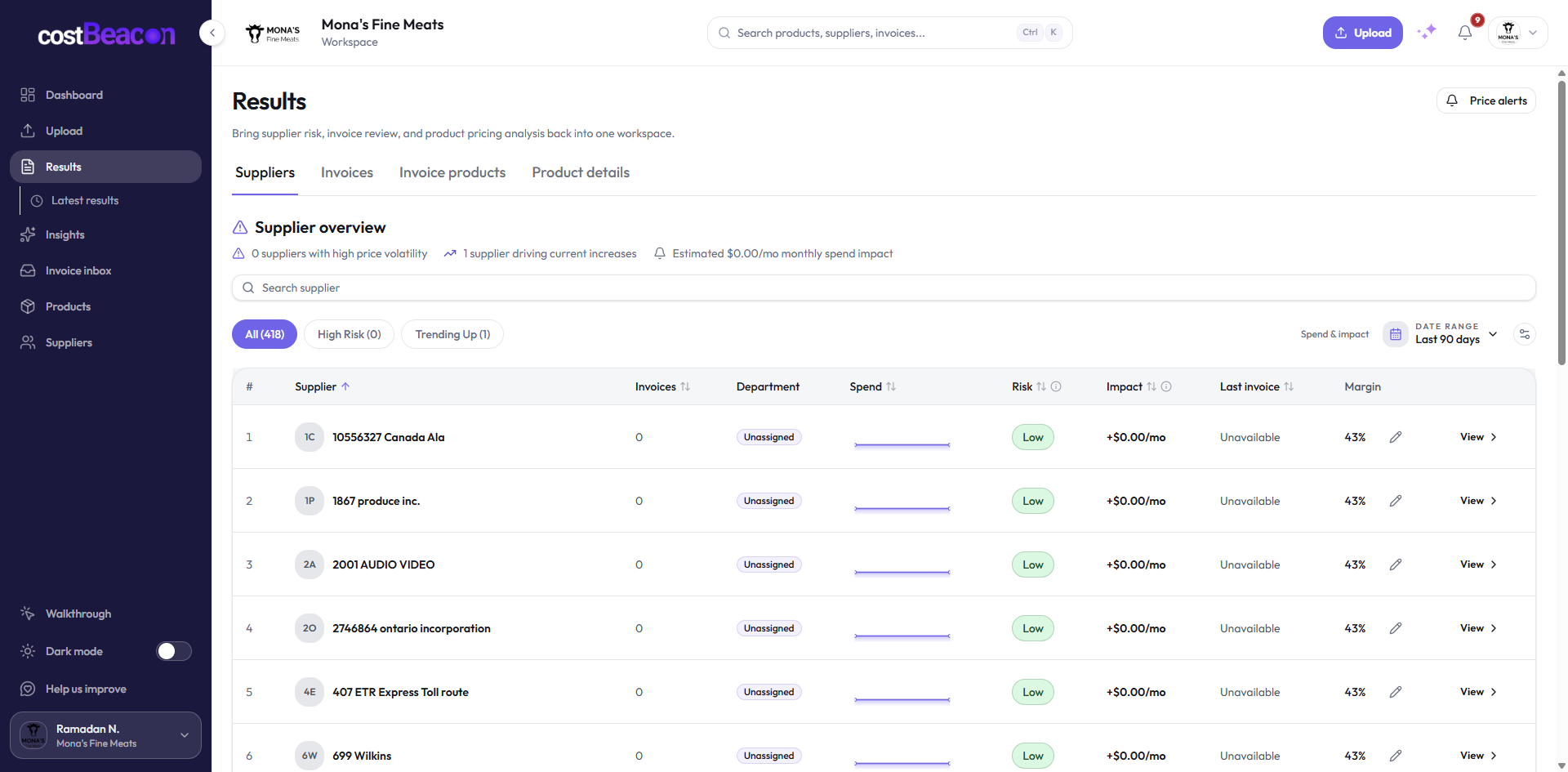
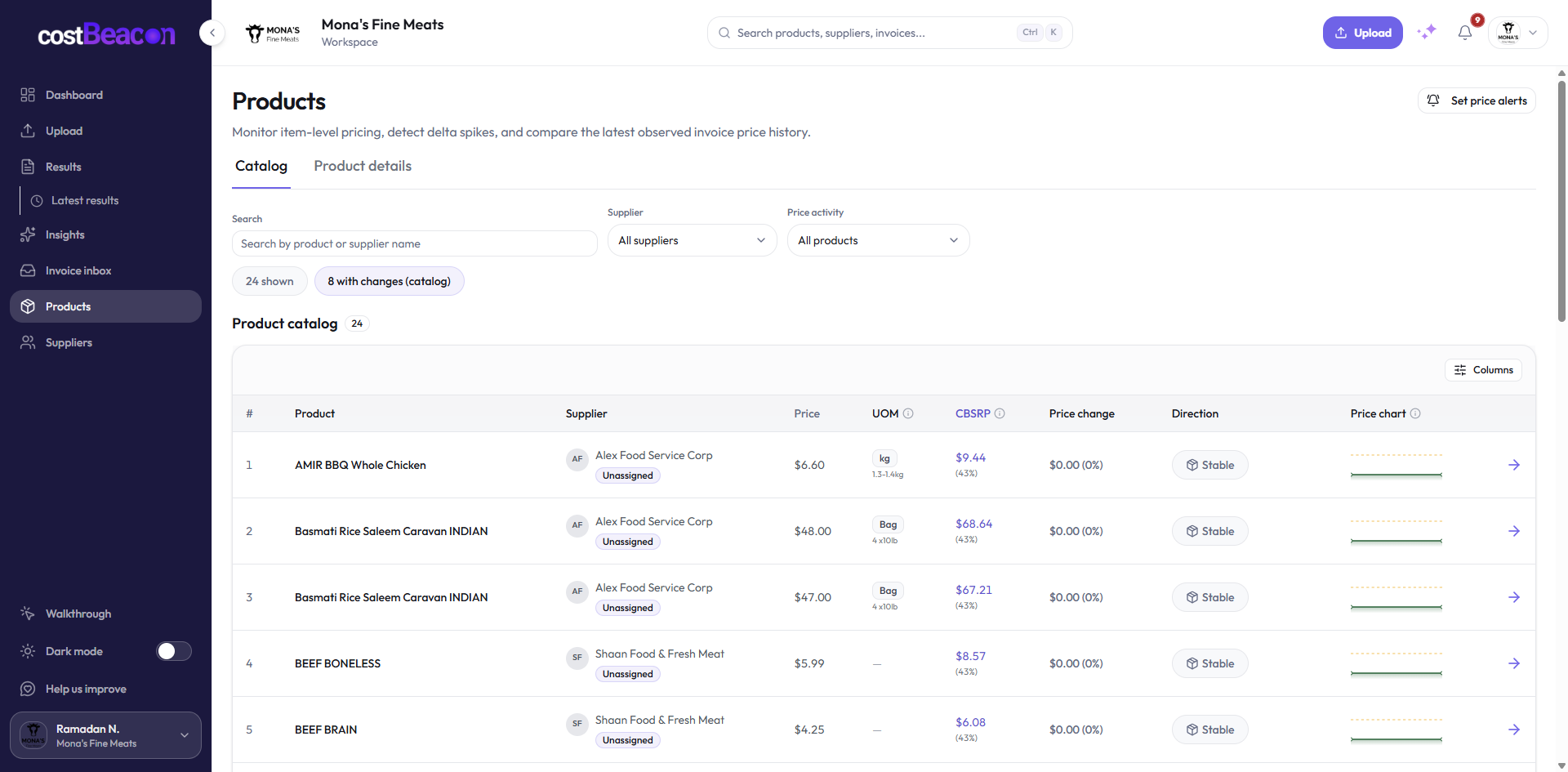
CostBeacon (Cost Beacon) supplier price tracking dashboard showing invoice-backed price change alerts and margin protection
Modern distribution warehouse with staff moving inventory between pallet racks

The old way

Spreadsheets break. Invoices keep coming.

Squinting at PDFs, re-keying line items, hoping someone spots a price creep — that works until vendors, products, and locations multiply.

What gets flagged

Messy bill in. Short review queue out.

Which costs moved, which products changed, and what needs attention before month-end — without digging through PDFs.

Latest invoice June 13
Supplier Recurring vendor
Item Qty Unit Cost
Case A 12 case +8.7%
Capture

Automated extraction

Skip the manual data entry. Upload a bill and get structured line items in minutes.

Detect

Price tracking

Instantly spot price hikes. Every alert links back to the invoice line that changed.

Decide

Margin protection

Know exactly what you're paying per unit — and which products need action before month-end.

MatchProduct line to cost history
CompareLatest invoice vs baseline
FlagCost changes to review

What you get

Extraction. Tracking. Margin protection.

Automated extraction

Skip the manual data entry. Upload PDFs, scans, or photos and let CostBeacon pull the line items.

Price tracking

Instantly spot price hikes. Alerts surface what changed — with the invoice behind every number.

Margin protection

Know exactly what you're paying per unit. Catch cost creep before it quietly eats margin.

Customer story

“Before CostBeacon, we’d lose entire afternoons digging through line items. Now alerts pop up with the invoice ready to review.”

Recovered enough hidden overspend in the first month to cover a full year of CostBeacon.

CEO, Mona Group

See it on your invoices

How it works

Upload. Extract. Get alerted.

Upload invoices in seconds, let the AI extract every detail, and get alerted before costs spiral.

Upload an invoice

Snap a photo or drag and drop PDFs, emails, or scans.

Let the AI do the work

CostBeacon extracts prices, quantities, vendors, and SKUs automatically.

Get notified

Smart alerts surface changes quickly, so teams can focus on decisions, not spreadsheets.

Inside the app

Actionable alerts, not invoice archaeology

Every screen below is from the live product — upload to alert in minutes.

CostBeacon invoice upload screen for adding supplier PDF invoices and scans

Upload in bulk or one at a time

Tag vendors, submit PDFs or photos, and let processing run in the background—usually under a minute per invoice.

Integration

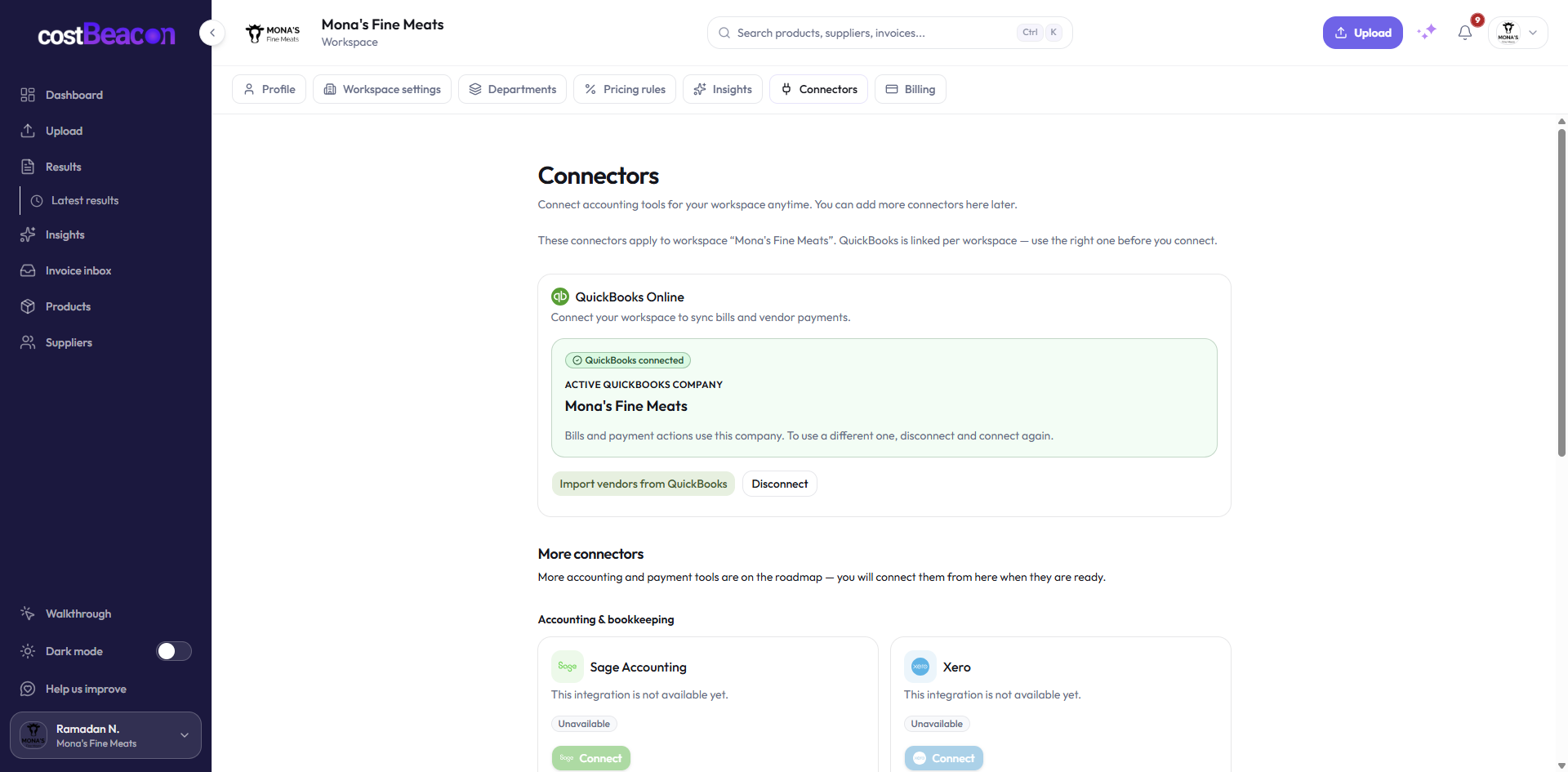
Plug into existing QuickBooks Online

Use QuickBooks Online? Connect in one click.

CostBeacon works on its own with your invoices. If you use QuickBooks Online, you can optionally connect in the app to push bills and PDF attachments, with no retyping line items.

  • Optional plugin, turned on only when you need it
  • Sync bills from processed invoices
  • Attach source PDFs to your books
Upload an invoice free

Fast start

Stop letting profit slip through the cracks of a messy invoice.

Drop one bill in. CostBeacon pulls the line items, builds your cost snapshot, and starts surfacing what moved.

Get started with CostBeacon today

No credit card required · View pricing · Sign in

Drop your first invoice PDF, scan, or photo
INV